SecureZIP Reader2.2.0
Publisher Description


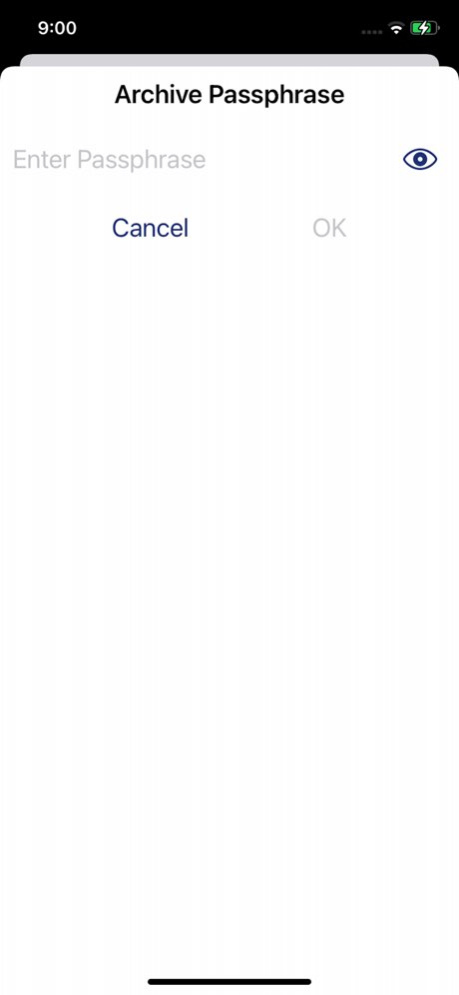
Now you can extract and view your ZIP and encrypted/secured sensitive files from email, Dropbox, Box.Net or other cloud providers! SecureZIP Reader for iOS combines ZIP decompression and decryption to deliver a data-centric security solution that protects data as it moves from the desktop to the cloud to the mobile device. Ensure security using passphrases or x.509 digital certificates.
PKWARE SecureZIP Reader Top Features:
.Quickly and securely open and extract files or open with the included viewer, or 3rd party viewer of choice
.Simple to use with DropBox, Box.Net, Sugarsync and any other cloud provider for securing content throughout the cloud
.Browse and review the contents of your ZIP files
.Open SecureZIP files with a passphrase or digital certificate
.Open the contents of ZIP files in associated apps
.Open ZIP files from Mail
.Open ZIP files from the web or cloud
.Support for .ZIP .ZIPX and SFX compression
SecureZIP allows you to extract the following file types, and more:
.Photo and video formats
.Text file formats
.Office file formats
.PDFs and much more
As the creator of the ZIP file format, PKZIP and SecureZIP; PKWARE is building on its reputation of continuous innovation with the release of SecureZIP Reader for both personal and enterprise/business use.
For enterprise and business customers, the PKWARE SecureZIP Reader is one of the first enterprise apps for iOS that provides the ability to open compressed files (.zip .zipx and many other formats) that are secured using passphrase or certificate-based encryption (PKI, x.509 certificate). This allows you to easily receive enterprise sensitive data on your iPhone or iPad without concern.
For personal use, SecureZIP Reader provides a free, fully functional, simple to use app to open and extract your files to use them, on your mobile device. Have a friend sending you sensitive files? The sender can password protect and encrypt them before sending to you, knowing you are able to open and view the files. SecureZIP Reader for iOS was created by PKWARE, a company with a 30-year track record of helping customers compress and secure their corporate data and personal information across mobile, desktop, server and mainframe computing platforms and in physical, virtual and cloud environments.
For more information, visit us at www.pkware.com
---------------
Keywords: file manager, password, passphrase, certificate, explorer, compress, archive, uncompress, zip, winzip, pkware, tar.gz, send, share, aes, encryption, encrypt, decrypt, decryption, pkzip, androzip, phil katz, zip file, securezip, reader, .509, x.509, .ZIP, zipx, .zipx, sfx, .sfx, digital certificates, file security, cloud security
Version History Added support for QR code scanning of PK Protect (desktop) Smart Keys 2.2.0 05/08/2023 Rewritten to support iOS 15+. Simplified user interface for previewing and exporting files inside zip archives. 2.1.1 06/28/2022 - Improvement to re-prompt for decryption after the application has been killed 1.30.7 02/21/2019 -Bug fix for links in the settings section. 1.30.6 11/08/2016 -Bug fix for loading zip archives from iTunes 1.30.4 11/03/2016 - bug fixes and performance improvements for iOS 10 1.30.2 10/21/2016 Corrected a problem using AE/2 file decryption. 1.20.0007 11/01/2013 Same great SecureZIP features updated for compatibility with the iOS 7 operating system. Versions for iOS 6 and earlier still available. 1.20.0006 10/23/2013 - New support for uploading archives using iTunes
- Improved support for using digital certificates and signatures
- Added support to open JAR files
- Performance and usability improvements
- Improved support for non-UTF8 extended filenames
- Corrected a problem causing an unexpected password prompt
- Corrected a problem using View or Mail when previewing a file
- Corrected a problem when Zoom is enabled 1.10.0006 07/31/2012 Corrected "Rate This App" URL 1.00.0007 04/12/2012 1.0 04/02/2012
About SecureZIP Reader
The company that develops SecureZIP Reader is PKWARE, Inc.. The latest version released by its developer is 2.2.0.
To install SecureZIP Reader on your iOS device, just click the green Continue To App button above to start the installation process. The app is listed on our website since 2026-10-08 and was downloaded 282 times. We have already checked if the download link is safe, however for your own protection we recommend that you scan the downloaded app with your antivirus. Your antivirus may detect the SecureZIP Reader as malware if the download link is broken.
How to install SecureZIP Reader on your iOS device:
- Click on the Continue To App button on our website. This will redirect you to the App Store.
- Once the SecureZIP Reader is shown in the iTunes listing of your iOS device, you can start its download and installation. Tap on the GET button to the right of the app to start downloading it.
- If you are not logged-in the iOS appstore app, you'll be prompted for your your Apple ID and/or password.
- After SecureZIP Reader is downloaded, you'll see an INSTALL button to the right. Tap on it to start the actual installation of the iOS app.
- Once installation is finished you can tap on the OPEN button to start it. Its icon will also be added to your device home screen.
Program Details
System requirements
Download information
Pricing
Version History
version 2.2.0
posted on 2026-10-08
Version History Added support for QR code scanning of PK Protect (desktop) Smart Keys 2.2.0 05/08/2023 Rewritten to support iOS 15+. Simplified user interface for previewing and exporting files inside zip archives. 2.1.1 06/28/2022 - Improvement to re-prompt for decryption after the application has been killed 1.30.7 02/21/2019 -Bug fix for links in the settings section. 1.30.6 11/08/2016 -Bug fix for loading zip archives from iTunes 1.30.4 11/03/2016 - bug fixes and performance improvements for iOS 10 1.30.2 10/21/2016 Corrected a problem using AE/2 file decryption. 1.20.0007 11/01/2013 Same great SecureZIP features updated for compatibility with the iOS 7 operating system. Versions for iOS 6 and earlier still available. 1.20.0006 10/23/2013 - New support for uploading archives using iTunes
- Improved support for using digital certificates and signatures
- Added support to open JAR files
- Performance and usability improvements
- Improved support for non-UTF8 extended filenames
- Corrected a problem causing an unexpected password prompt
- Corrected a problem using View or Mail when previewing a file
- Corrected a problem when Zoom is enabled 1.10.0006 07/31/2012 Corrected "Rate This App" URL 1.00.0007 04/12/2012 1.0 04/02/2012
version 2.2.0
posted on 2026-09-03
Version History Added support for QR code scanning of PK Protect (desktop) Smart Keys 2.2.0 05/08/2023 Rewritten to support iOS 15+. Simplified user interface for previewing and exporting files inside zip archives. 2.1.1 06/28/2022 This app has been updated by Apple to prepare for watchOS 27 compatibility. No new features are included.
- Improvement to re-prompt for decryption after the application has been killed 1.30.7 02/21/2019 -Bug fix for links in the settings section. 1.30.6 11/08/2016 -Bug fix for loading zip archives from iTunes 1.30.4 11/03/2016 - bug fixes and performance improvements for iOS 10 1.30.2 10/21/2016 Corrected a problem using AE/2 file decryption. 1.20.0007 11/01/2013 Same great SecureZIP features updated for compatibility with the iOS 7 operating system. Versions for iOS 6 and earlier still available. 1.20.0006 10/23/2013 - New support for uploading archives using iTunes
- Improved support for using digital certificates and signatures
- Added support to open JAR files
- Performance and usability improvements
- Improved support for non-UTF8 extended filenames
- Corrected a problem causing an unexpected password prompt
- Corrected a problem using View or Mail when previewing a file
- Corrected a problem when Zoom is enabled 1.10.0006 07/31/2012 Corrected "Rate This App" URL 1.00.0007 04/12/2012 1.0 04/02/2012
version 2.2.0
posted on 2026-08-21
Version History Added support for QR code scanning of PK Protect (desktop) Smart Keys 2.2.0 05/08/2023 Rewritten to support iOS 15+. Simplified user interface for previewing and exporting files inside zip archives. 2.1.1 06/28/2022 This update from Apple will improve the functionality of this app. No new features are included.
- Improvement to re-prompt for decryption after the application has been killed 1.30.7 02/21/2019 -Bug fix for links in the settings section. 1.30.6 11/08/2016 -Bug fix for loading zip archives from iTunes 1.30.4 11/03/2016 - bug fixes and performance improvements for iOS 10 1.30.2 10/21/2016 Corrected a problem using AE/2 file decryption. 1.20.0007 11/01/2013 Same great SecureZIP features updated for compatibility with the iOS 7 operating system. Versions for iOS 6 and earlier still available. 1.20.0006 10/23/2013 - New support for uploading archives using iTunes
- Improved support for using digital certificates and signatures
- Added support to open JAR files
- Performance and usability improvements
- Improved support for non-UTF8 extended filenames
- Corrected a problem causing an unexpected password prompt
- Corrected a problem using View or Mail when previewing a file
- Corrected a problem when Zoom is enabled 1.10.0006 07/31/2012 Corrected "Rate This App" URL 1.00.0007 04/12/2012 1.0 04/02/2012
version 2.2.0
posted on 2023-05-08
May 8, 2023
Version 2.2.0
Added support for QR code scanning of PK Protect (desktop) Smart Keys
version 2.2.0
posted on 2023-05-08
Added support for QR code scanning of PK Protect (desktop) Smart Keys
version 2.1.1
posted on 2022-06-28
Jun 28, 2022 Version 2.1.1
Rewritten to support iOS 15+. Simplified user interface for previewing and exporting files inside zip archives.
version -
posted on 2020-10-15
version 1.30.7
posted on 2019-02-21
Feb 21, 2019 Version 1.30.7
This app has been updated by Apple to use the latest Apple signing certificate.
- Improvement to re-prompt for decryption after the application has been killed
version 1.30.7
posted on 2019-02-21
Feb 21, 2019 Version 1.30.7
- Improvement to re-prompt for decryption after the application has been killed
version 1.30.7
posted on 2019-02-21
21 Feb 2019 Version 1.30.7
- Improvement to re-prompt for decryption after the application has been killed
